Billboarding
Flat sprites that always face the camera.
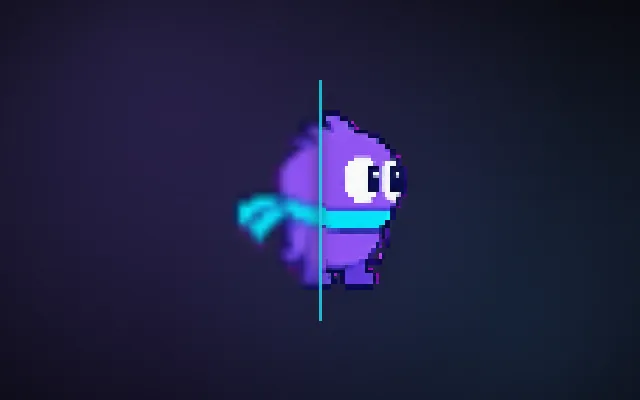
Health bars, name tags, particles, distant trees and retro sprites in a 3D world are flat images. If they keep a fixed rotation, they turn edge-on and vanish as the camera moves around them. A billboard rotates to face the camera every frame, so it always looks right.
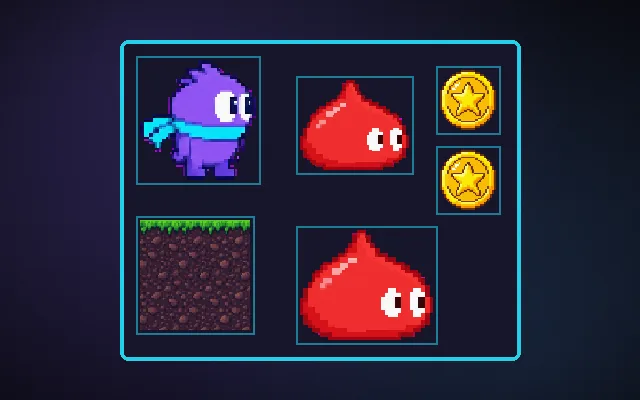
Try this: Orbit the camera with billboarding off: the sprites turn into thin lines. Turn it on with B.
Orbit the camera.
Prompt bit
Works for 2D or 3D in any engine (Unity, Unreal, Godot, web). Paste the short one for a quick fix, or the detailed one when you want it done properly.
Billboard flat sprites in 3D: each frame after the camera moves, face them to the camera (full rotation for health bars, Y-axis only for trees and characters), keep UI ones a constant screen size, and fade them over 0.2 s when walls block them.
Add billboarding for flat elements in a 3D scene (any engine; Unity and Godot have billboard modes on sprites and particles). Two kinds: screen-aligned (copy the camera rotation, for health bars, name tags, damage numbers and particles) and axis-aligned (rotate only around the world up axis to face the camera position, for trees, grass, Doom-style characters and pickups, so they do not tilt when you look down). Do it in LateUpdate after the camera moves, or in the vertex shader for many instances. For UI-like billboards keep a constant screen size by scaling with distance, and hide them beyond a range or behind walls (fade over 0.2 s). Sort transparent billboards back to front, or use alpha-clip instead of blending for foliage. For 8-direction retro sprites, pick the sprite frame from the angle between the character facing and the camera. Batch many billboards with GPU instancing.
Where it's used
- 3D UI: health bars, name tags and markers
- Particles: smoke, sparks and explosions
- Foliage and LOD: distant tree impostors
- Retro 3D: Doom-style sprites in 3D levels
- Pickups: coins and icons that always read
Common mistakes
Full billboarding on trees (they tilt when you look down), updating before the camera moves (one frame lag, wobble), billboards that shrink to unreadable size far away, and no depth handling so tags show through walls.
Writing this with an AI assistant? See our best AI coding assistants for game developers.
Missing a concept? Request one.