Collision response
Slide along walls instead of sticking to them.
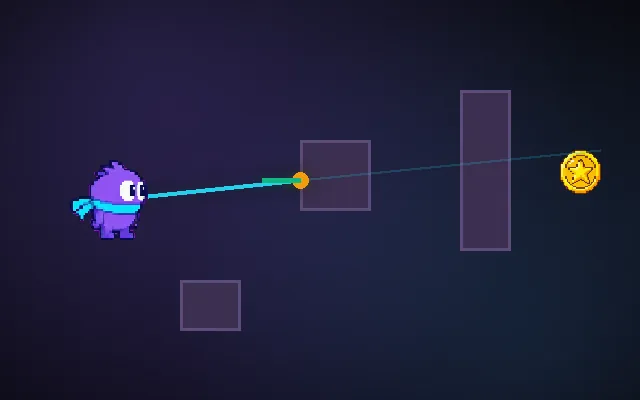
Spotting a collision is only half the job. The other half is deciding what happens next. If the game cancels the whole move whenever you touch a wall, pushing diagonally into it freezes the player. Removing only the part of the movement that goes into the wall lets the rest carry on, so the character glides along it.
Try this: Hold up and right into the top wall. On Stop you freeze; on Slide you keep gliding along it.
what you pressedwall normalmovement that happened
Push diagonally into any wall.
Prompt bit
Works for 2D or 3D in any engine (Unity, Unreal, Godot, web). Paste the short one for a quick fix, or the detailed one when you want it done properly.
On collision, slide instead of stopping: remove only the velocity component pointing into the wall (velocity minus its dot with the normal times the normal), keep a skin width of about 0.01 units, and resolve corners one axis at a time so they never snag.
Rewrite collision handling to slide along surfaces (2D or 3D, any engine). Move with a sweep or shape cast instead of teleporting. When the cast hits, move up to the contact point minus a small skin (default 0.01 units), then project the remaining motion onto the surface: remaining = remaining - dot(remaining, normal) * normal. Repeat up to 3 iterations per physics step so corners and creases resolve, and stop early if the remaining motion is tiny. Also remove the into-wall part from the stored velocity so it does not build up while pressing into a wall. For floors use the ground normal so walking up gentle slopes keeps speed; for steep slopes above maxSlopeAngle (default 50 degrees) treat them as walls. In 2D tile games the cheap version is moving and resolving the X axis, then the Y axis, separately. Built-in character controllers (Unity CharacterController, Godot move_and_slide, Unreal CharacterMovement) already do this, so use them before writing your own.
Where it's used
- Top-down and twin-stick games: hugging walls and corridors
- 3D character controllers: sliding along walls and up slopes
- FPS movement: strafing along walls without snagging
- Platformers: walls stop X but keep your jump going
- Vehicles: scraping along barriers instead of dead stops
Common mistakes
Cancelling the whole move on any contact (sticky walls), pushing out along the shortest axis (characters pop through thin corners), skipping the skin width so the next frame starts inside the wall, and leaving velocity untouched so it grows while pressed into a wall.
Writing this with an AI assistant? See our best AI coding assistants for game developers.
Missing a concept? Request one.