AI tools in Unity 6: connect your own agent or use Unity's assistant
Unity now offers two routes to AI: a free plugin and CLI that let the agent you already pay for drive the Editor, and its own in-editor assistant that runs on credits. Its older in-editor MCP server is deprecated, so older setup guides point the wrong way.
You'll end up with: Unity 6 set up one of two ways: your own coding agent driving the Editor through Unity's free plugin or the Unity CLI's MCP server, or Unity's in-editor assistant installed with your credits in view. Plus a check of Unity's plan and output terms before you ship.
About 30 min · Needs engine basics · 6 steps · Printable checklist
Steps 1–2the same for everyone
After that, pick Your own agent (free) or Unity's assistant (credits).
Install Unity 6 or later
Every one of Unity's AI tools needs Unity 6.0 or later: the in-editor assistant, the MCP server, the official plugin and the Unity CLI's Editor control. The Unity Hub is the app you download Editor versions with.
- Open the Unity Hub and go to .
- Look for a version under UNITY 6. Its version number starts with 6000.
- If there isn't one, download a Unity 6 Editor through the Unity Hub or the Unity CLI.
- Open your project in that Unity 6 Editor.
You should see: The Hub's Installs page lists a Unity 6 version (6000.x), and your project is open in it.
Watch out: To drive a running Editor through the Unity CLI, Unity's docs say to use Unity 6.0 LTS or later.
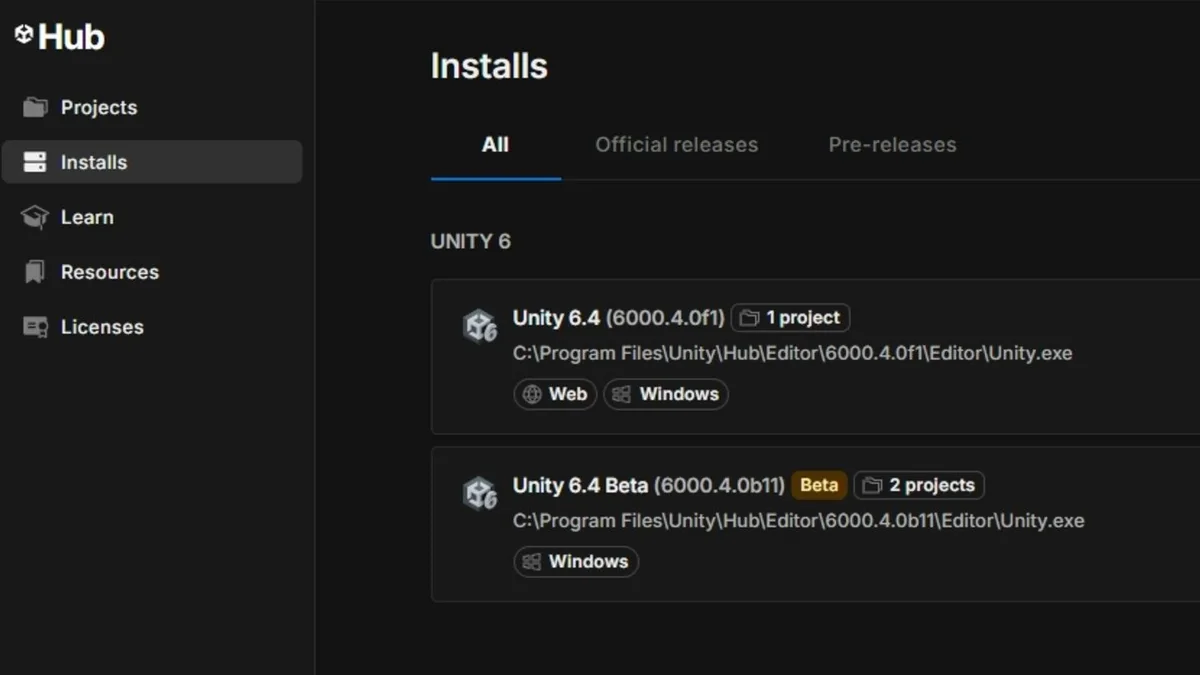
The Unity Hub's Installs page with Unity 6 versions listed, from Unity's AI tools page. Image: Unity, Unity's own image, credited. From the official docs: Unity's AI tools: how to get started ↗
Pick your route: your own agent or Unity's assistant
An agent is an AI that can take actions, not just answer. MCP (Model Context Protocol) is a standard way for an agent to use another program's tools, and the CLI (command-line interface) is a program you run by typing commands in a terminal.
- Already pay for Claude Code, Codex or Grok? Take the agent path and install Unity's official plugin. Unity says the plugin, the CLI and the MCP server are all free to use.
- Use another MCP client, such as Cursor, VS Code or Windsurf? Take the agent path and use the Unity CLI's MCP server.
- Want Unity's own agent inside the Editor? Take the assistant path. The in-editor assistant needs Unity Credits.
- Note the new names. Unity is retiring the "Unity AI" brand and now calls these the in-editor AI assistant, the AI gateway, the MCP server, the official plugin and the CLI.
You should see: You know which path below fits you: your own agent (free) or Unity's assistant (credits).
Watch out: Unity's FAQ says the MCP server needs no Unity credits, and a third-party agent used through Unity's AI gateway doesn't consume Unity credits either.
From the official docs: Unity's AI tools FAQ ↗
Then pick your path
Your own agent (free)
Install Unity's official plugin in your agent
The plugin puts Unity's engineering skills, the Unity CLI and Unity's MCP server into your agent in one install. Skills are instructions written by Unity's teams, so the agent works the way Unity intends instead of guessing.
- Check Unity lists the plugin for your agent: Claude Code, Codex or Grok.
- Install it from your agent's plugin marketplace, or with the terminal command in Unity's plugin docs for your agent.
- Use it in a Unity 6.0 or later project. That's the plugin's minimum version.
You should see: Your agent has Unity's skills, the Unity CLI and the MCP server from the one install, with nothing to wire up by hand.
Watch out: Unity says all third-party AI tools and MCPs are subject to Unity Core Standards, including tools distributed outside the Asset Store or Package Manager.
From the official docs: Unity's official plugin (FAQ) ↗
Or connect any MCP client through the Unity CLI
If your agent isn't on the plugin list, point it at the MCP server built into the Unity CLI. The CLI is free and separate from Unity AI, and it only accepts connections from your own machine.
- Install the Unity CLI.
- Run unity pipeline install.
- Run unity mcp configure <client>, replacing <client> with your client's name, such as claude, cursor, vscode or windsurf.
- Run unity mcp configure --list to see every supported client and its configuration status.
- Run unity skill install <agent-name> to add Unity's skills to your agent.
- If your agent can run shell commands, try unity command and unity eval too. Unity says they drive the Editor directly, faster and with fewer tokens than MCP.
You should see: unity mcp configure --list shows your client as configured, and your agent reaches the open Unity Editor through the Unity CLI.
Watch out: The old MCP server in the in-editor assistant (the com.unity.ai.assistant package) is deprecated, replaced by the Unity CLI's MCP server. Third-party MCP packages from GitHub aren't affected. If you also use the in-editor assistant, update its package to 2.13 or later to fix a conflict with the CLI.
From the official docs: Unity CLI as the replacement for the in-Editor MCP server ↗
Unity's assistant (credits)
Install the in-editor assistant
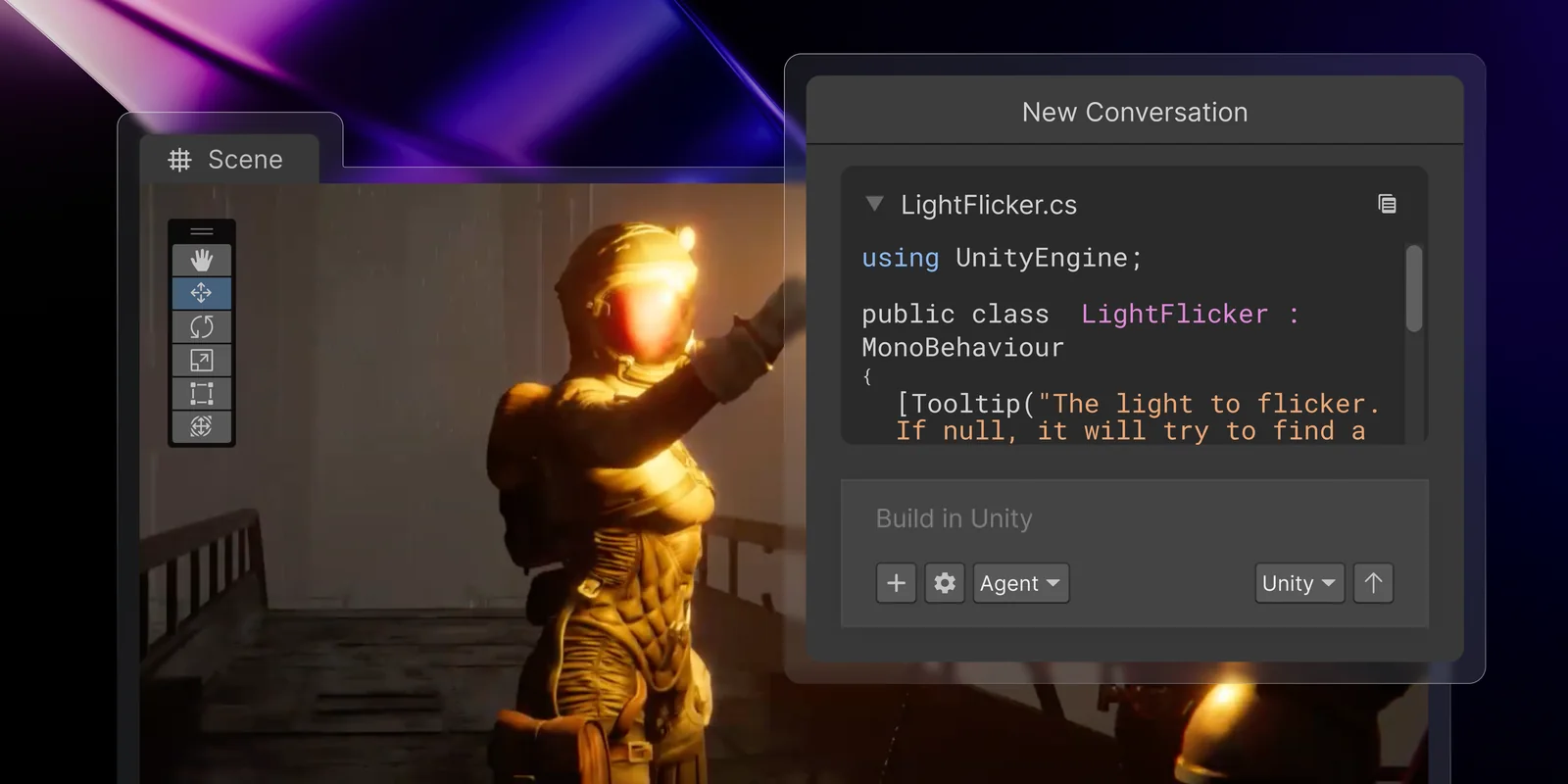
Unity's in-editor assistant is an agent built into the Editor. Unity says it understands your scene, inspects GameObjects and components, drives Editor actions and checks that changes behave as intended.
- Click the button in the Editor toolbar.
- Install the assistant package when it asks, or install it directly from the Package Manager.
- Accept the terms that apply.
- On Unity Personal, start the 14-day free trial. On Pro, Enterprise or Industry, your plan's monthly credits are ready to use.
You should see: The assistant's New Conversation panel opens in the Editor, with a prompt box, a mode menu and a model menu.
Watch out: From Unity 6000.0.76f1, the AI button shows in the toolbar by default, and the Hide AI menu button setting in the Editor's General Settings can hide it. If you can't see it, install the package from the Package Manager.
From the official docs: Unity's AI tools: use the in-editor assistant ↗
Find your credits in the Unity Dashboard
Unity Credits are what the assistant and its generators spend. The Unity Dashboard, Unity's web console for your organisation, shows how many you have left.
- Open the Unity Dashboard and go to .
- Check your Unity Credits subscription, any one-time credit purchases and the credits remaining.
- Open the Dashboard's page to see use by query and generation type over time.
You should see: The Manage Credits tab shows how many Unity Credits you have left.
Watch out: Credits reset at the start of each billing cycle, and unused credits don't roll over. At zero, Unity's AI features pause until the reset or until you buy more credits.
From the official docs: About Unity Credits ↗
Pick a model and mode that fit the job
Each assistant message costs credits based on the model, the mode and how complex the request is. Unity Lite is the low-latency model, Unity Default the balanced default, and Unity Ultra the most capable and the most expensive.
- Use Unity Lite in Ask mode for quick questions. Unity's example: about 4 credits for a short Unity question.
- Switch to Agent mode when you want the assistant to change your project. Generating a simple script or component is about 8 credits on Unity Lite.
- Use Plan mode before a big feature. A detailed implementation plan is about 48 credits on Unity Lite.
- Save Unity Ultra for complex, multi-step tasks. Unity's third-person player controller example is about 450 credits on Ultra and about 190 on Unity Default.
You should see: The mode menu (Ask, Plan or Agent) and the model menu are set before you send each prompt.
Watch out: Unity says these figures are "representative examples only", can change without notice, and that the Unity Dashboard is the authority for your organisation.
From the official docs: About Unity Credits: assistant examples ↗
Generate assets and find them later
The assistant's generators make images, textures, 3D models, sound effects, music, skyboxes, animation and video, partly through partner models (other companies' AI models). Every generation is tagged so you can find it again.
- Check the provider label in the generator's selected model section before you generate. It shows whose partner model you're using.
- Budget with Unity's examples: 1–6 credits for an image, 1–9 for a texture, 8–13 for a 3D model, 1–5 for sound effects and 3–5 for music, per generation job.
- Count every output: generating four image variations is four jobs.
- Find what the generators made with the native Unity search. Unity embeds "UnityAI" metadata in all generations.
You should see: A Unity search lists the AI-generated assets in your project, so you can review, keep or replace each one.
Watch out: Some partner models block prompts likely to infringe IP or copyright, which can give you a blank result or a message to change your prompt. Organisation owners and managers can turn the generators off in the Dashboard and keep the assistant on.
From the official docs: Unity AI Guiding Principles ↗
Before you ship: check your plan, credits and terms
- On Unity Personal, Unity's AI tools start with a 14-day free trial, then become a paid subscription. Unity's FAQ says the trial "converts to a $10/month subscription" (US$10: the subscription link on Unity's pricing page is priced in USD).
- The 1,000 monthly credits Unity lists for Personal come only with that paid subscription. Unity's plan comparison marks Unity AI Credits on Personal as "Monthly subscription required".
- How many credits the 14-day trial includes: Not stated by vendor.
- Unity Pro includes 2,000 credits a month (Pro is US$210 a month paid monthly, or from US$2,310 a year). Enterprise includes 3,000.
- The price of one credit in money: Not stated by vendor. Unity sells extra credit bundles, and the Dashboard is the authority on what your organisation has used.
- Unity Pro is required for businesses with more than US$200K in funding or annual revenue. That's an engine plan rule, not an AI one.
- Ownership: Unity's AI Guiding Principles say "You own your input and output data", and training Unity's AI models directly on your content is off by default.
- Generators also fall under their providers' terms. Unity's Third-Party AI Terms (updated 28 July 2026) list Layer AI, Scenario and Uthana, and say your use is "also governed by the respective third-party terms of service".
- Store declarations are your job: Unity's FAQ says developers are fully responsible for app-store declarations and verifying usage rights. Search for the "UnityAI" metadata to list every AI-made asset before you fill them in.
- Selling AI-made assets on the Unity Asset Store: under §1.6.a of the Submission Guidelines, content made with AI, completely or in part, must say so in the marketing data, and the "AI description" field must name the AI tools used, the content they generated and the changes you made.
- Don't describe AI content with words that imply human effort, such as "drawn", "hand drawn" or "painted" (§1.6.c).
Watch out: Unity's AI tools are in beta, and Unity says credit rates can change without notice. Check the pricing page and your Dashboard on the day you subscribe.
From the official docs: Unity Plans & Pricing ↗
- Unity AIUnity Personal: 14-day free trial (trial credits not stated by vendor), then a US$10/month subscription that includes 1,000 monthly credits. Pro, Enterprise and Industry include monthly credits. pricing
- Claude CodeCommercial use allowedClaude's Free plan doesn't include Claude Code pricing
- CursorCommercial use allowedFree US$0 plan pricing
- Devin Desktop (formerly Windsurf)Commercial use allowedFree US$0 plan pricing
Questions
Do I need Unity credits to use Claude Code or Cursor with Unity?
No. Unity's FAQ says the MCP server is free and doesn't need Unity's AI credits, and a third-party agent used through the AI gateway doesn't consume Unity credits. You still pay your agent's own vendor. source
Is the MCP server in Unity's in-editor assistant still supported?
No. Unity has deprecated it and replaced it with the MCP server in the Unity CLI (the unity mcp command). Third-party MCP packages from GitHub aren't affected. source
Is Unity's AI assistant free on Unity Personal?
Only for a 14-day free trial. After that it's a paid subscription that Unity's FAQ says "converts to a $10/month subscription" (US$10), and the 1,000 monthly credits come with that subscription. How many credits the trial includes is Not stated by vendor. source
How many credits does a 3D model cost in Unity?
Unity's example range is 8 to 13 credits per generation, but it says the figures are representative examples only and the Unity Dashboard is the authority for your organisation. source
Written from the official documentation linked on each step and checked . Menus and settings change between versions, so follow the linked docs if something looks different. No vendor reviews or pays for these guides.


