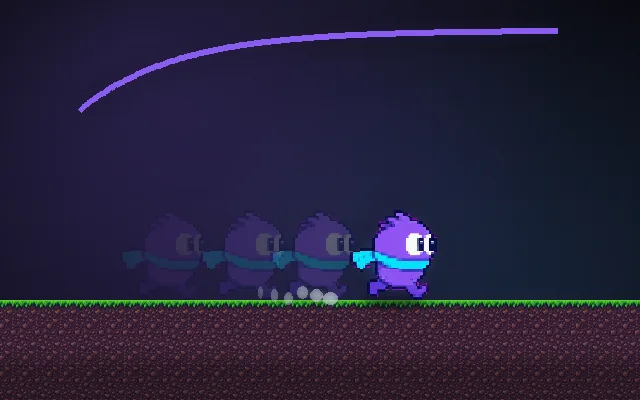
Diagonal movement normalization
Why holding two arrow keys makes characters 41% faster.
Right is (1, 0). Right plus up is (1, 1), and that vector is about 1.41 long, not 1. Multiply it by your speed and diagonal movement is 41% faster than straight movement. Players exploit it, and it makes top-down and 3D movement feel uneven. Clamping the input to length 1 fixes it.
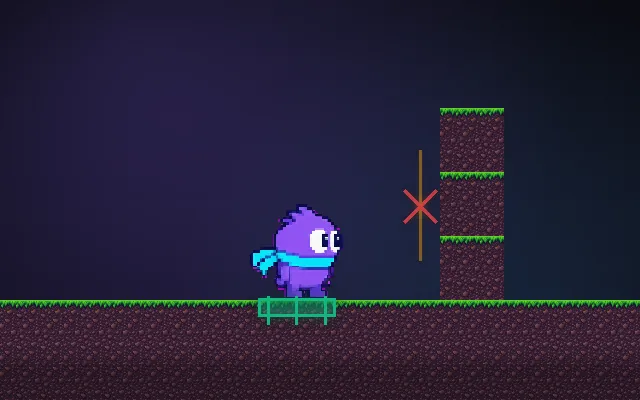
Try this: Press R to race both to the far corner diagonally. Then turn the fix on with N and race again.
raw input (no fix)your moverspeed ring = intended top speed
Move diagonally and watch your speed.
Prompt bit
Works for 2D or 3D in any engine (Unity, Unreal, Godot, web). Paste the short one for a quick fix, or the detailed one when you want it done properly.
Normalize movement input: build the direction from keys or stick and, if its length is above 1, divide by its length before multiplying by speed, so a 1 s diagonal run covers the same distance as a straight one; leave gentler analog pushes untouched.
Fix diagonal speed in the movement code (2D or 3D, any engine). Read input into a vector (x = right minus left, y = up minus down; in 3D map it onto the camera-relative ground plane, with y = 0 before you measure it). Clamp the vector to a maximum length of 1: if length > 1, divide by length; if length <= 1, leave it so analog sticks keep gentle walking. Apply a radial deadzone (default 0.15) to sticks before clamping, then rescale the rest to 0..1 so small pushes still work. Only then multiply by moveSpeed and delta time (or feed it into acceleration). Do the same for 8-direction AI movers and for camera-relative 3D input after flattening the camera forward vector, otherwise looking down slows the player. Add a debug readout of actual speed versus moveSpeed.
Where it's used
- Top-down games: RPGs, twin-stick shooters, Zelda-likes, roguelikes
- 3D third-person and FPS: WASD strafing (classic strafe-running exploits come from this)
- Isometric games: after rotating input into the iso grid
- Gamepad support: sticks already return circles; clamp, don't normalize, to keep slow walks
- AI and projectiles: any direction built from two axes
Common mistakes
Always normalizing (a slight stick tilt then runs at full speed), normalizing a zero vector (divide by zero gives NaN and the character vanishes), and in 3D normalizing before flattening the camera direction so looking up or down changes speed.
Writing this with an AI assistant? See our best AI coding assistants for game developers.
Missing a concept? Request one.