Pause and time scale
Freeze the game, not the menu.
Pausing is usually done by setting the game's time scale to 0, and slow motion by setting it below 1. Everything that should stop must use scaled time, and everything that must keep working, like the pause menu, buttons and music, must use real (unscaled) time. Mix them up and the menu freezes along with the game.
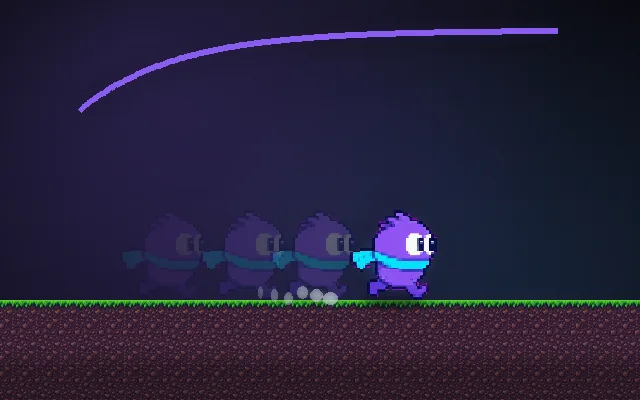
Try this: Pause with P, then switch the menu to Game time with U: the menu freezes too. Drag time scale to 0.25 for slow motion.
Pause the game.
Prompt bit
Works for 2D or 3D in any engine (Unity, Unreal, Godot, web). Paste the short one for a quick fix, or the detailed one when you want it done properly.
Pause by setting time scale to 0: gameplay, physics and cooldowns use scaled delta time, the pause menu, tweens, input and music use unscaled time, and clear the 0.1 s jump buffer on pause so resuming never fires a stale jump.
Implement pause and slow motion with a time scale (2D or 3D, any engine). Keep timeScale (1 = normal, 0 = paused, 0.2 to 0.5 = slow motion) and give systems two clocks: scaled dt = realDt * timeScale for gameplay, physics, AI, cooldowns, animations and particles; unscaled realDt for menus, UI tweens, input, music and the pause screen itself. In engines with a global time scale (Unity Time.timeScale, Godot Engine.time_scale, Unreal global time dilation), make UI animations and menu timers use unscaled time explicitly, and mark the pause menu to keep processing while paused (Godot process mode Always). Pause on window focus loss and on mobile app background. When pausing, mute or duck sound effects, keep music running at lower volume, and clear buffered inputs so nothing fires on resume; optionally add a short 3-2-1 or 0.2 s fade back in. For slow motion, also scale the fixed physics step so motion stays smooth. Store the previous scale so hit stop and slow motion do not overwrite a pause.
Where it's used
- Every game: pause menus and settings screens
- Action games: slow motion, bullet time, kill cams
- Hit stop: very short time scale dips
- Strategy and sims: 1x, 2x and 4x speed controls
- Mobile games: auto-pause when the app goes to the background
Common mistakes
Pause menus animated on scaled time (they freeze at 0), gameplay timers on real time so cooldowns keep counting while paused, inputs pressed during pause firing on resume, and hit stop or slow motion resetting the scale back to 1 during a pause.
Writing this with an AI assistant? See our best AI coding assistants for game developers.
Missing a concept? Request one.