Animation blending
Mix walk and run smoothly by speed.
Switching straight from a walk clip to a run clip makes the character pop. A blend space mixes poses by weight based on a value like speed, keeping the feet in step, and crossfades between unrelated clips over a fraction of a second, so movement looks continuous.
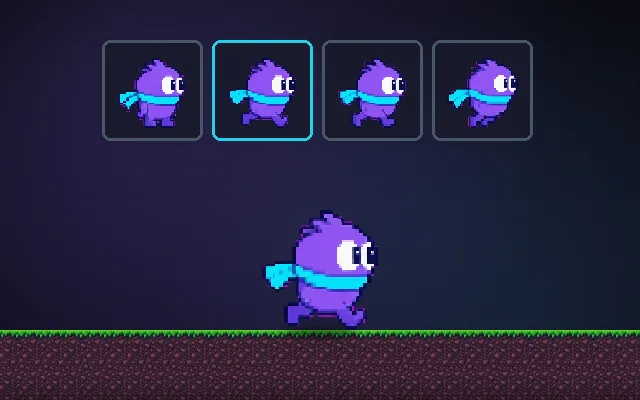
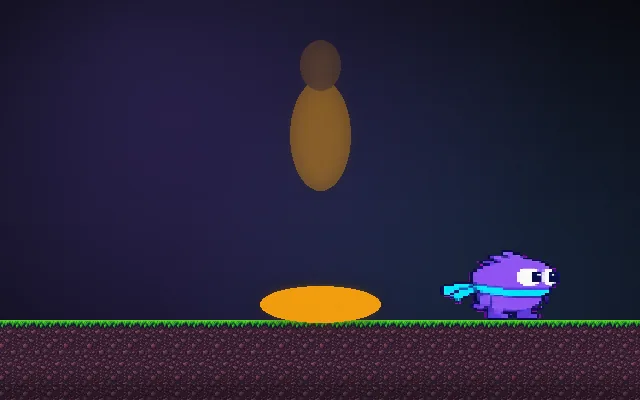
Try this: Hold a direction: the runner speeds up from idle to walk to run. Without blending the pose pops at each speed step (count the pops). Turn blending on and the stride grows smoothly.
Snapping: hold a direction and watch the pose jump at walk and run speed.
Prompt bit
Works for 2D or 3D in any engine (Unity, Unreal, Godot, web). Paste the short one for a quick fix, or the detailed one when you want it done properly.
Blend locomotion by speed: a 1D blend space with idle at 0, walk at 1.5 m/s and run at 5 m/s, cycles synced by normalized time so feet stay in step, 0.2 s crossfades for unrelated clips, and no blending through idle on turns.
Set up animation blending for character locomotion (3D or skeletal 2D; Unity Blend Trees, Unreal Blend Spaces, Godot AnimationTree BlendSpace1D/2D). Create a 1D blend space on speed: idle at 0, walk at the walk clip's natural speed (about 1.5 m/s), run at about 5 m/s; for strafing use a 2D blend space on local velocity. Drive the parameter with smoothed actual velocity, not raw input. Sync clip phases by normalized time so blended feet land together, or use sync markers. For transitions between unrelated states (locomotion to jump, to attack), crossfade over 0.1 to 0.25 s. Scale playback rate slightly so feet match ground speed and avoid foot sliding. Use layers and masks for upper-body actions while legs keep running. Test by sweeping speed slowly and watching for pops.
Where it's used
- 3D action and adventure: idle, walk, jog, run
- Shooters: strafe blend spaces and upper-body aiming layers
- Sports games: speed and turning blends
- Skeletal 2D (Spine, DragonBones): smooth state mixing
- Creatures and vehicles: gait changes by speed
Common mistakes
Hard switching between walk and run, blending clips that are out of phase so legs scissor, driving the blend with raw input so it jitters, crossfades so long the character slides, and foot sliding from mismatched playback speed.
Writing this with an AI assistant? See our best AI coding assistants for game developers.
Missing a concept? Request one.