Sprite sheet animation
Flipbook animation that plays at the same speed everywhere.
A sprite sheet is a strip of frames, and animating it means showing the right frame at the right time. Advancing one frame per screen refresh makes a walk cycle twice as fast on 120 Hz. Timing frames in seconds, flipping the sprite for direction and switching animation only when the state changes fixes the usual bugs.
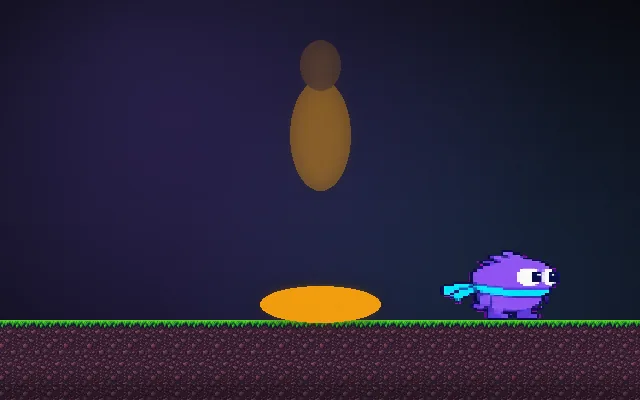
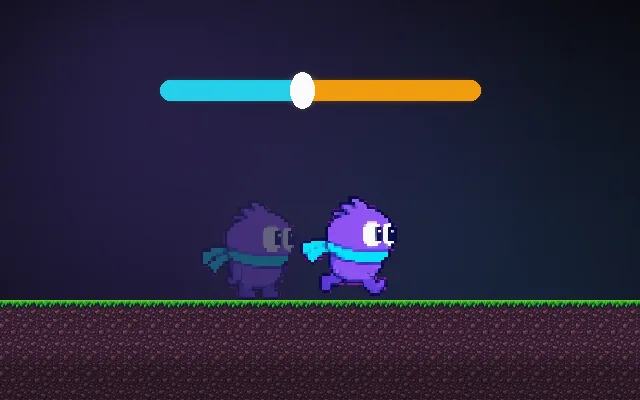
Try this: Walk left and right. With one frame the hero slides like a statue. Turn animation on and the legs cycle through the sheet. Try 4 fps (choppy) and 16 fps.
One frame: the hero glides with frozen legs. Turn animation on.
Prompt bit
Works for 2D or 3D in any engine (Unity, Unreal, Godot, web). Paste the short one for a quick fix, or the detailed one when you want it done properly.
Animate sprite sheets by time: each animation has frames and a frame duration (default 0.1 s), advance with accumulated delta time, flip horizontally for facing, and restart only when the animation changes, not every frame you call play.
Set up sprite sheet animation properly (2D games, or flipbook effects in 3D, any engine). Slice the sheet into equal frames (or use the atlas data) and define named animations: frames, frameDuration (default 0.1 s; idle 0.15 s, run 0.08 s), loop or once, and optional events on specific frames (footstep, attack active). Keep an elapsed timer: elapsed += deltaTime; while elapsed >= frameDuration, advance a frame and subtract. Calling play(name) with the animation already playing must not restart it; only a different name resets elapsed and frame. Flip with a negative X scale (or flipX) instead of drawing separate left-facing frames, and set the pivot at the feet so flipping does not shift the sprite. Drive the choice of animation from the character's state (idle, run, jump, fall). Use nearest-neighbour filtering, padding between frames to avoid bleeding, and unscaled time for UI animations. Expose per-animation speed multipliers.
Where it's used
- 2D platformers and RPGs: walk, run, jump and attack cycles
- Top-down games: 4 or 8-direction sheets
- 3D games: flipbook explosions, fire and smoke
- UI: animated icons and loading spinners
- Pixel-art games: crisp frame-by-frame animation
Common mistakes
Advancing one frame per refresh (speed changes with the monitor), calling play every frame so the animation restarts and freezes on frame 1, flipping around the sprite corner instead of its centre, and blurry filtering on pixel art.
Writing this with an AI assistant? See our best AI coding assistants for game developers.
Missing a concept? Request one.