Frustum culling
Do not draw what the camera cannot see.
The camera only sees a pyramid-shaped volume (the frustum). Sending objects behind or beside the camera to the GPU is wasted work. Engines test each object's bounding box against the frustum and skip the ones outside. Your job is to keep bounds correct and to skip logic for off-screen things too.
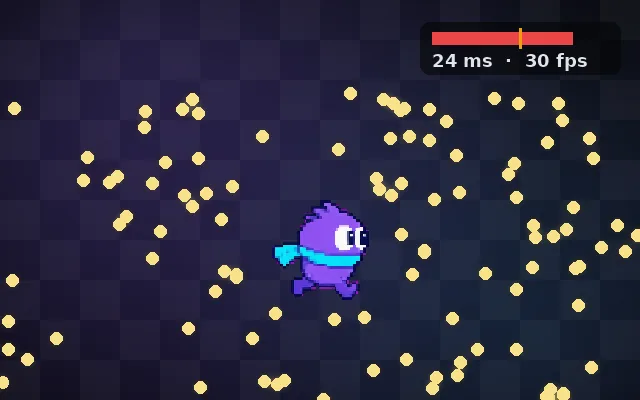
Try this: Explore with your flashlight and find the coins. With culling off all 220 objects are drawn, even the red ones behind you, and it lags. Turn culling on: only what is in the cone is drawn.
Culling off: all 220 objects are drawn, even the red ones nobody can see.
Prompt bit
Works for 2D or 3D in any engine (Unity, Unreal, Godot, web). Paste the short one for a quick fix, or the detailed one when you want it done properly.
Support frustum culling: give every renderer correct bounds, including animated and shader-displaced meshes, split huge meshes so parts can be culled, pause animation and AI for objects off screen longer than 0.5 s, and keep off-screen shadow casters that shade the view.
Make frustum culling effective (3D; engines cull renderers automatically using bounds, and 2D engines cull off-screen sprites). Check that bounds are correct: skinned meshes need bounds covering the full animation, and vertex-shader displacement (waves, wind) needs expanded bounds or objects pop out at the screen edge. Split very large meshes (a whole level as one mesh can never be culled). For your own systems, use the same test: skip animation updates (Unity "cull update transforms"), particle simulation, and expensive AI for objects outside the view, with a short grace period so things do not freeze visibly at the edge. Remember shadows: casters outside the view can still cast into it. Add occlusion culling for indoor levels as a next step.
Where it's used
- Open worlds: thousands of props
- Shooters: large levels
- Mobile games: saving CPU and GPU
- 2D games: skipping off-screen sprites and logic
- VR: per-eye culling
Common mistakes
Wrong bounds on skinned or shader-displaced meshes so objects vanish at the edge, merging the whole level into one mesh, updating off-screen animations and particles anyway, and culling shadow casters that should still cast shadows.
Writing this with an AI assistant? See our best AI coding assistants for game developers.
Missing a concept? Request one.