Knockback
A hit should push, not just subtract health.
If an enemy takes a hit and keeps walking into you, the attack feels like it did nothing. A short push away from the hit, which then slows down, sells the impact and gives the player space. Tuning the push is half of what makes combat feel heavy or light.
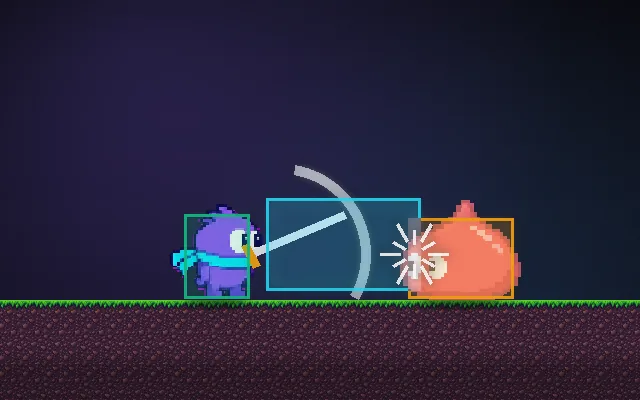
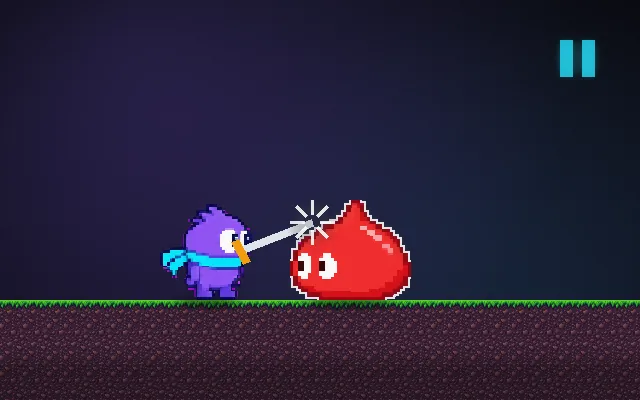
Try this: Hit the slime with knockback off: it sticks to you. Turn it on and push it into the wall.
Attack the slime as it comes in.
Prompt bit
Works for 2D or 3D in any engine (Unity, Unreal, Godot, web). Paste the short one for a quick fix, or the detailed one when you want it done properly.
Add knockback on hit: set the target's velocity to the direction from attacker to target times a force, let friction bring it to rest over about 0.2 s, and pause its AI meanwhile so it cannot walk straight back into the attack.
Implement knockback for hits (2D or 3D, any engine). On a confirmed hit, compute direction = normalize(target.position - attacker.position) (in 3D flatten it to the ground plane first), then set (do not add to) the target's velocity to direction * knockbackForce, plus an optional small upward component (default 20% of the force) so ground friction does not eat it instantly. Scale force by attack strength and divide by a per-enemy weight (heavy bosses barely move). Put the target in a short knockback state (default 0.2 s; also its hit-stun) where AI movement and player input are ignored, then let friction or drag bring it to rest. Clamp the result to the level bounds or use your collision sweep so it cannot be pushed through walls; optionally deal bonus damage when it slams into a wall. Give the attacker a small recoil (about 10% of the force) for heavy hits. Apply knockback after hit stop ends, not during it. Expose force, upward ratio, duration and weight.
Where it's used
- Action games and brawlers: spacing enemies after combos
- Platformers: the player bounced back off spikes and enemies
- Shooters: shotgun and explosion push
- Roguelikes and top-down games: pushing enemies into hazards
- Physics-based games: launching ragdolls and props
Common mistakes
Adding knockback on top of existing velocity (results stack wildly), letting AI keep steering during the push so it barely moves, ignoring collisions so enemies are pushed through walls, and using the attacker's facing instead of the attacker-to-target direction.
Writing this with an AI assistant? See our best AI coding assistants for game developers.
Missing a concept? Request one.