Baked vs realtime lighting
Calculate light once ahead of time, or every frame while the game runs.
Try it
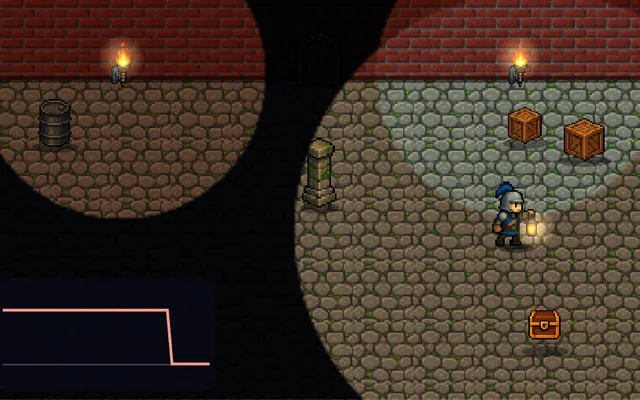
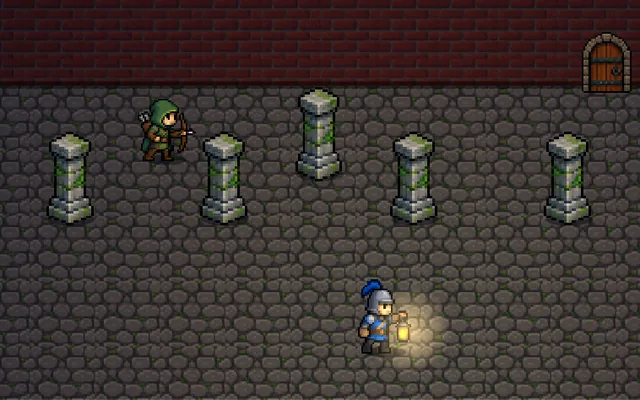
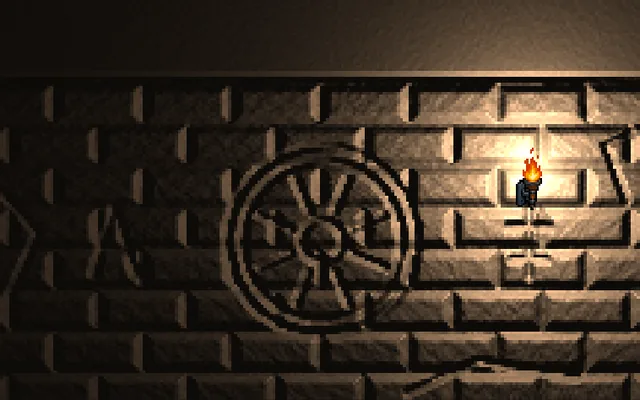
Open the door and watch the floor: no daylight comes in, because this light was baked before the game started. Press BUse the switch for realtime light, then again to use both.
Why it matters
Realtime lights are recalculated every frame, so they respond to anything that moves, but each one costs frame time. Baked lighting is calculated once and saved into textures, so it is nearly free at runtime and can look far richer, but it cannot change. Most games use both: bake everything that stays still, and keep a few realtime lights for what moves. The frame times in this demo are simulated so you can feel them, and a real bake can take minutes or hours.
Where it's used
- Open worlds: baked or cached daylight, realtime effects
- Mobile games: baked light because every millisecond counts
- Interiors: soft bounced light that realtime cannot afford
- VR: holding a strict frame budget
- Time-of-day games: where a single bake will not do
Add it to your game
How to spot it in your own game: A door opens or a lamp moves and the light in the room stays as it was, or a room full of lights makes the frame rate drop.
Paste this into your AI coding tool. It works for 2D or 3D in any engine (Unity, Unreal, Godot, web). Use Quick for a fast fix, or Detailed when you want it done properly.
Use mixed lighting: mark static lights and geometry as baked and bake them to lightmaps with UV padding, keep at most a few realtime lights for moving things, and add light probes so moving characters pick up the baked light.
Set up mixed lighting (Unity Baked or Mixed lights with lightmaps and Light Probes, Unreal Lightmass or Lumen, Godot LightmapGI and ReflectionProbe). Mark anything that never moves as static, and give it a second UV channel with enough padding so baked light does not bleed across seams. Bake static lights into lightmaps, using higher resolution where the player looks closely. Keep realtime lights to the few things that change: the player torch, muzzle flashes, opening doors. Place light probes so moving characters pick up the baked light and do not look pasted on. Measure frame time on your slowest target hardware, not your development machine, and budget lights against it. Rebake after moving any static object, and keep the bake in your build steps so stale lighting cannot ship.
Is it built into your engine?
| Unity | Built in: Light Mode (Baked, Realtime, Mixed), lightmap baking, Generate Lightmap UVs, Light Probes, Adaptive Probe Volumes (URP and HDRP)Set Light Mode, turn on Contribute GI for static geometry, generate lightmap UVs, bake, and add probes so moving objects pick up baked light. |
|---|---|
| Unreal | Built in: Lightmass, Light Mobility, Volumetric Lightmaps, GPU LightmassSet light Mobility and build, with lightmap UVs generated for you and Volumetric Lightmaps for moving objects, but first turn on Allow Static Lighting because the Third Person template has it off, and GPU Lightmass is a Beta plugin. |
| Godot | Built in: LightmapGI, Light3D Bake Mode, LightmapProbe3D only: set each light's Bake Mode, generate lightmap UVs on import and bake with a LightmapGI node, which also places probes for moving objects, though baking does not work in the web editor. |
Checked against Unity 6.6, Unreal Engine 5.8 and Godot 4.7 official docs, November 2026.
Common mistakes
Baking something that later moves, leaving its shadow behind, no light probes so characters look pasted on, lightmap UVs without padding so light bleeds across seams, and testing the frame budget only on a fast development machine.
Writing this with an AI assistant? See our best AI coding assistants for game developers. Missing a concept? Request one.