Shadow casting
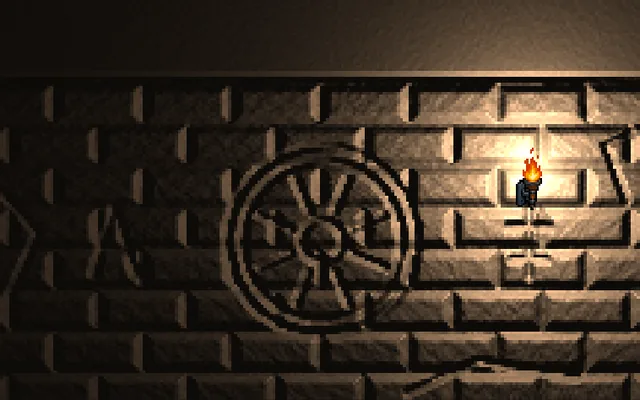
Walls block light, and the dark behind them is somewhere to hide.
Try this
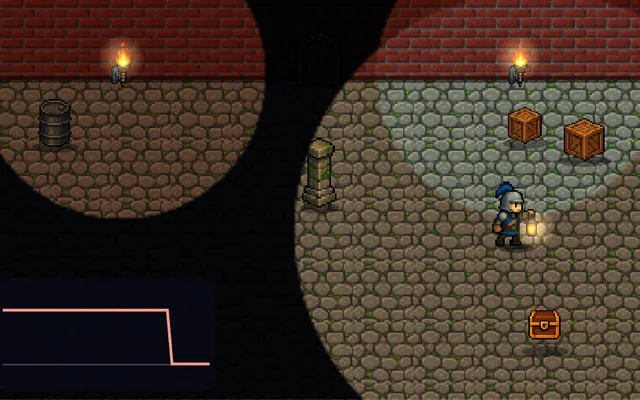
Sneak to the door before the guard's lantern finds you. Press HUse the switch to turn shadows on, then wait in the dark behind a pillar until it is safe to run.
Why it matters
Without shadows, light passes straight through walls and objects float instead of sitting in the world. To cast a shadow in 2D, you take each edge of a wall and stretch it away from the light, then leave that area dark. In 3D, shadow maps do the same job by rendering the scene from the light. Shadows also make great gameplay, because anything that can see only by light now has blind spots. Here the same pillars block the light you see and the guard's check for you, so the two can never disagree.
Where it's used
- Stealth games: shadows as cover
- Top-down shooters: vision cones and fog of war
- Horror: a dark shape on the wall
- 3D games: grounding every object in the world
- Puzzle games: light and shadow as the mechanic
Add it to your game
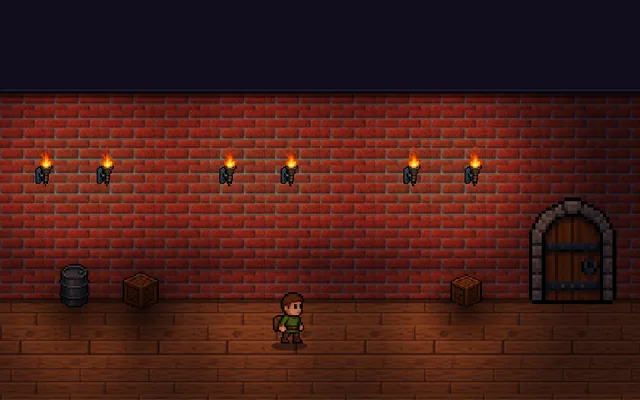
How to spot it in your own game: Light shines through your walls and characters seem to float, or enemies see the player somewhere that looks dark, because your lights have no shadow casters or your sight checks use different shapes.
Paste this into your AI coding tool. It works for 2D or 3D in any engine (Unity, Unreal, Godot, web). Use Quick for a fast fix, or Detailed when you want it done properly.
Add 2D shadows: for each edge of a blocking shape, stretch a quad away from the light and fill it dark in the lightmap, draw the walls on top afterwards, and test visibility with a line from the light to the target.
Add dynamic shadows from the main light (2D: Unity Shadow Caster 2D, Godot LightOccluder2D, or a canvas lightmap; 3D: shadow maps on your light). In 2D, for each occluder edge, build a quad from the two corners to those corners pushed far away from the light, and fill it with the ambient colour in the lightmap after drawing the light. Draw the occluders themselves on top so they do not shadow their own face. For gameplay, never read pixels: test line of sight with a segment from the light to the target against the same occluder list, so what the guard sees always matches what the player sees. In 3D, start with one shadow-casting light, use cascaded shadow maps outdoors, and add a small depth bias to stop shadow acne without letting shadows detach from their objects. Expose the light radius and bias as tunables, and let distant or small lights skip shadows.
Is it built into your engine?
| Unity | Built in: Shadow Caster 2D (URP 2D lights)URP only: add Shadow Caster 2D to blockers and use 2D lights, but a gameplay visibility test is your own raycast. |
|---|---|
| Unreal | Partly built in: Paper 2D lit sprite materials, Cast ShadowThere is no 2D lighting system, but Paper 2D sprites are 3D planes that can use lit materials and engine shadows (Cast Shadow is off by default), while stretched-quad top-down shadows are yours. |
| Godot | Built in: Light2D Shadow Enabled, LightOccluder2D2D: tick shadows on the light and add occluders, which can be generated from a sprite, while a gameplay visibility check needs your own raycast. |
Checked against Unity 6.6, Unreal Engine 5.8 and Godot 4.7 official docs, November 2026.
Common mistakes
Checking gameplay visibility separately from the drawn shadows so they disagree, shadow acne from no depth bias, too much bias so shadows float away from their objects, and letting every small light cast shadows when only one or two matter.
Writing this with an AI assistant? See our best AI coding assistants for game developers. Missing a concept? Request one.