Point lights and falloff
A light that fades with distance is what makes a dark room feel real.
Try it
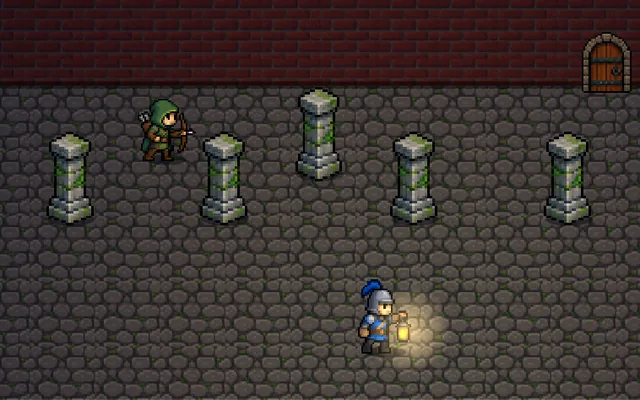
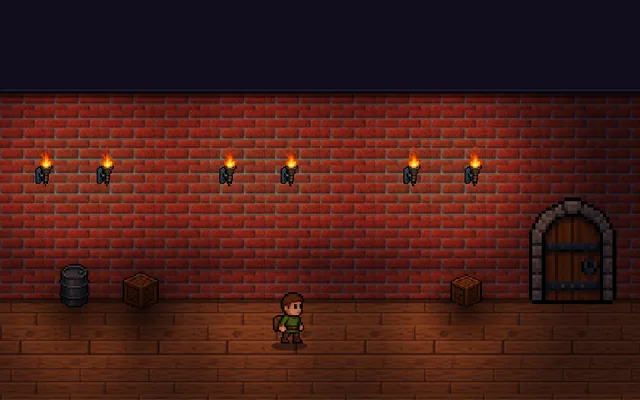
Walk the guard around the cellar and look at the hard edge of his light. Press FUse the switch to give every light a falloff, then drag the sliders to shape it.
Why it matters
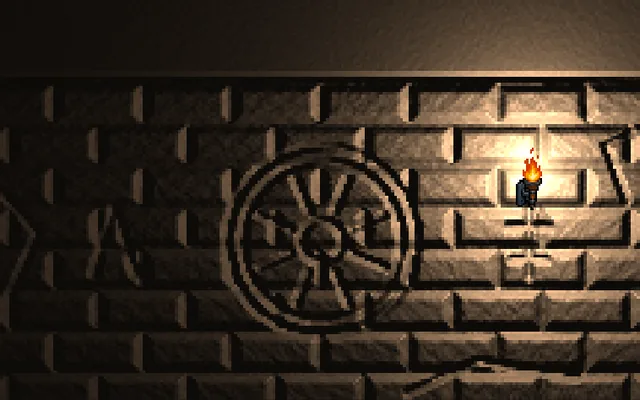
A point light shines in every direction and gets weaker as you move away from it. How fast it fades is called falloff, and it does most of the work of making a scene feel lit rather than painted. Ambient light is the small base level that keeps the darkest parts from going pure black. Together they decide what the player can see, which makes lighting a gameplay tool as well as a visual one.
Where it's used
- Horror and exploration: what you can see is the challenge
- Dungeons: torches that guide the player
- Stealth: light marks the danger zones
- 2D platformers: mood without repainting any art
- Any 3D scene: the most common light there is
Add it to your game
How to spot it in your own game: Your lights look like flat stickers on the floor or a room feels painted rather than lit, so look for a hard cut-off at the radius or ambient light set too high.
Paste this into your AI coding tool. It works for 2D or 3D in any engine (Unity, Unreal, Godot, web). Use Quick for a fast fix, or Detailed when you want it done properly.
Add point lights with smooth falloff: fade each light with attenuation = clamp(1 - (distance / radius)^2, 0, 1)^2, add the results over a low ambient of about 0.1, and flicker a torch radius by no more than 3 percent.
Add point lights to the scene (2D or 3D; Unity Light2D or Point Light, Unreal Point Light, Godot PointLight2D/OmniLight3D, or a canvas lightmap). Each light has a colour, an intensity and a radius. Fade it with a smooth curve that reaches exactly zero at the radius: attenuation = clamp(1 - (distance / radius)^2, 0, 1)^2, which also lets you cull the light beyond that range. This curve is a good choice for 2D and for simple renderers; physically based 3D engines already combine a radius with inverse-square falloff, so use the engine's falloff setting there. Add all lights together, then multiply over the albedo. Keep ambient low (about 0.05 to 0.15) and tint it slightly blue for night scenes. For torches, flicker the radius or intensity by 2 to 3 percent using smooth noise, not random jumps. In 2D, render lights into a low-resolution lightmap (a quarter of the screen is plenty) and multiply it over the scene. Expose radius, intensity, colour and ambient as tunables, and cap the number of lights touching any one object.
Is it built into your engine?
| Unity | Built in: Light component (Point type)Add a Point Light and set Range and Intensity, with the render pipeline handling falloff and any flicker scripted by you. |
|---|---|
| Unreal | Built in: Point Light (Attenuation Radius, Use Inverse Squared Falloff)Place the actor and set its Attenuation Radius, which uses Unreal's own falloff rather than this exact formula, and torch flicker is yours. |
| Godot | Built in: OmniLight3D, PointLight2DOmniLight3D has range and attenuation settings with per-renderer limits, PointLight2D takes its shape from a texture, and flicker is your script. |
Checked against Unity 6.6, Unreal Engine 5.8 and Godot 4.7 official docs, November 2026.
Common mistakes
No falloff at all, so the light is a flat disc with a hard edge, ambient set so high the lights stop mattering, lights with no maximum radius so every object pays for every light, and flicker made from random numbers, which looks like a broken bulb rather than a flame.
Writing this with an AI assistant? See our best AI coding assistants for game developers. Missing a concept? Request one.