Camera deadzone
Let the player move a little before the camera follows.
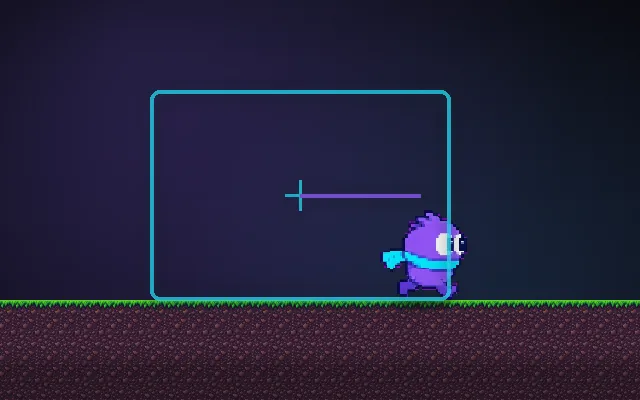
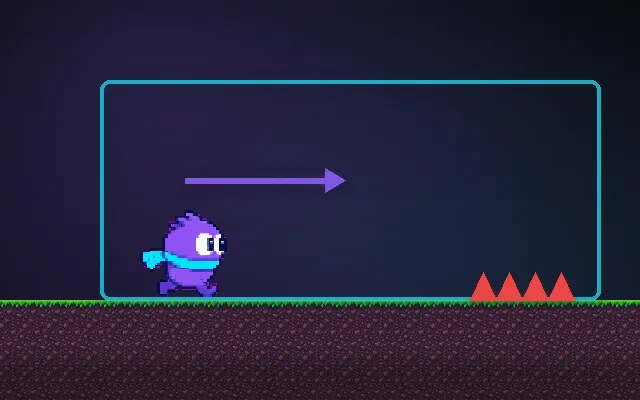
A camera that follows every tiny step makes the whole screen twitch, especially when the player taps back and forth. A deadzone is a box in the middle of the screen where the player can move freely. The camera only moves when they push against its edges. The view stays calm and readable.
Try this: Tap left and right quickly with the deadzone off: the whole world shakes. Turn it on (Z) and do the same.
deadzone
Wiggle left and right.
Prompt bit
Works for 2D or 3D in any engine (Unity, Unreal, Godot, web). Paste the short one for a quick fix, or the detailed one when you want it done properly.
Add a camera deadzone: keep a box around the screen centre about a quarter of the screen wide, move the camera only by how far the player is outside it, damp that move over about 0.15 s, and snap onto the player after respawns.
Add a deadzone to the follow camera (2D, or 3D third-person on the screen plane). Define a deadzone rectangle in screen or world units around the camera target (default 25% of screen width, 20% of height; usually taller than wide in platformers). Each frame, if the player is outside the box, move the camera by exactly the overshoot so the player sits on the edge; if inside, leave it. Then apply damping (time constant about 0.15 s, frame-rate independent with 1 - exp(-dt / 0.15)) so pushes ease in. Use a separate vertical rule for platformers: only move up when the player lands on higher ground (platform snapping) so jumps do not bounce the view. Combine with look-ahead by offsetting the box in the facing direction. Snap to the player on respawn, teleport and scene load. Clamp to level bounds. Draw the box in a debug overlay and expose its size and damping.
Where it's used
- 2D platformers: horizontal deadzone plus platform-snap vertical
- Metroidvanias: calm rooms with camera bounds
- Top-down games: a box that lets small dodges stay still
- 3D third-person: screen-space deadzones on the follow target
- Fighting games: keeping both players in view without twitching
Common mistakes
A deadzone so wide the player reaches the screen edge before the camera moves, moving the camera to centre the player instead of to the box edge (it snaps), jumps that bounce the camera vertically, and no damping so the edge push feels like a jolt.
Writing this with an AI assistant? See our best AI coding assistants for game developers.
Missing a concept? Request one.