Web audio unlock
Why your browser game is silent until you click.
Browsers block sound until the player interacts with the page, so an audio system created at load starts "suspended" and every sound is silently dropped. Many AI-written web games ship with no sound for this reason. The fix: resume the audio context inside the first click, tap or key press.
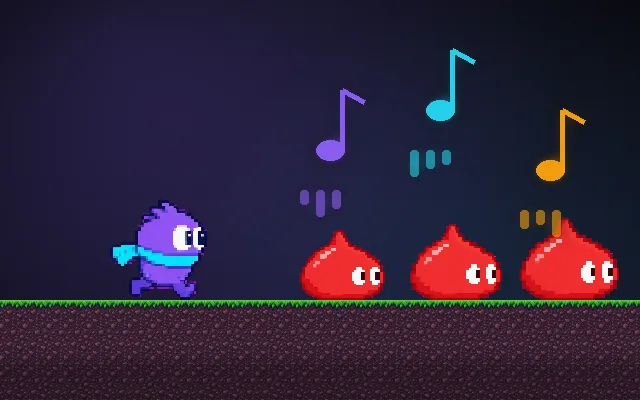
Try this: With unlock off, press Play: nothing, because the audio was started at page load and the browser blocked it. Turn unlock on and play again.
Sound is quiet and only plays when you press Play. "Created at page load" is simulated here so this page doesn't make noise on load.
Prompt bit
Works for 2D or 3D in any engine (Unity, Unreal, Godot, web). Paste the short one for a quick fix, or the detailed one when you want it done properly.
Unlock web audio: create or resume the AudioContext inside the first click, tap or key press, retry resume on every input until its state is running, and queue sounds triggered in the first 0.5 s so the opening music is not silently lost.
Fix audio in the browser build (2D or 3D web games: plain Web Audio, Howler, Phaser, Three.js, PlayCanvas, Godot web export, Unity WebGL). Browsers start any AudioContext created without a user gesture in the "suspended" state and drop sounds. Create one shared AudioContext (lazily is fine), then on the first pointerdown, touchend and keydown call audioContext.resume(), and keep listening (once: false) until audioContext.state === "running", because iOS Safari sometimes needs a second gesture. Show a "Click to start" or "Tap for sound" screen before the menu so the first gesture happens naturally. Queue music or sounds requested while suspended (for up to 0.5 s, or start the music after resume) instead of dropping them. On iOS, also play a short silent buffer during the first gesture. Suspend audio on visibilitychange (tab hidden) and resume when visible. Respect a mute setting saved in localStorage. Log the context state in debug builds.
Where it's used
- Web games: HTML5, Phaser, Three.js, PixiJS, PlayCanvas
- Engine web exports: Unity WebGL and Godot HTML5
- itch.io and game jams: browser builds
- Mobile browsers: iOS Safari is the strictest
- Interactive sites: any page with sound
Common mistakes
Creating the AudioContext at load and never resuming it, resuming only once (iOS needs a retry), starting music before any gesture so it is silently lost, and not suspending audio when the tab is hidden.
Writing this with an AI assistant? See our best AI coding assistants for game developers.
Missing a concept? Request one.