Spatial audio
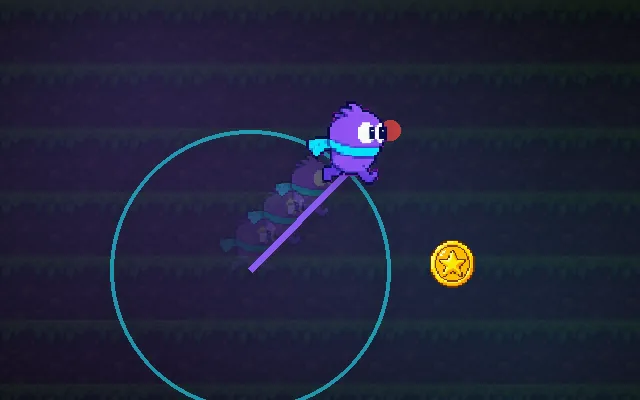
Sounds that get quieter with distance and come from the right side.
In a game world, sounds should tell you where things are: louder when close, quieter far away, and panned left or right. Without that, every enemy sounds like it is standing next to you. A listener on the camera or player, plus distance falloff and panning on each source, gives players directional information.
Try this: Start the sound (headphones help), then walk around the campfire. Turn spatial off with S: it sounds the same everywhere.
Sound is quiet and only plays after you press Start.
Prompt bit
Works for 2D or 3D in any engine (Unity, Unreal, Godot, web). Paste the short one for a quick fix, or the detailed one when you want it done properly.
Make sounds spatial: put the listener on the camera, give each source a 1 m minimum and 30 m maximum distance with logarithmic falloff and panning, keep music and UI 2D, and update source positions every frame so sounds never lag 0.1 s behind.
Set up spatial audio (3D, or 2D with panning; Unity AudioSource spatialBlend 1, Godot AudioStreamPlayer3D/2D, Unreal attenuation, Web Audio PannerNode). Place the audio listener on the camera for third-person and first-person, or on the player for top-down and side views. For each 3D sound set minDistance (default 1 m, full volume inside) and maxDistance (default 30 m), with logarithmic or a custom falloff curve, and enable stereo panning (HRTF for headphones if available). Update source positions every frame from the object, not only on start. Keep UI, music and the player's own sounds 2D. Add occlusion: if a raycast from listener to source hits walls, lower volume and apply a low-pass filter. Use reverb zones for caves and halls. Limit how many 3D sources play at once and cull ones beyond maxDistance. In 2D, pan = clamp(dx / halfScreen, -1, 1) and volume falls off with distance. Expose curves per sound type.
Where it's used
- Shooters: hearing enemy footsteps and gunfire direction
- Horror: sounds behind walls and around corners
- Open worlds: ambience from rivers, fires and towns
- VR: HRTF spatialisation
- 2D games: panning off-screen enemies and hazards
Common mistakes
Listener on the wrong object (sounds pan the wrong way), music and UI set to 3D so they fade when you walk away, linear falloff that goes silent too early, and source positions set once so moving enemies leave their sounds behind.
Writing this with an AI assistant? See our best AI coding assistants for game developers.
Missing a concept? Request one.